
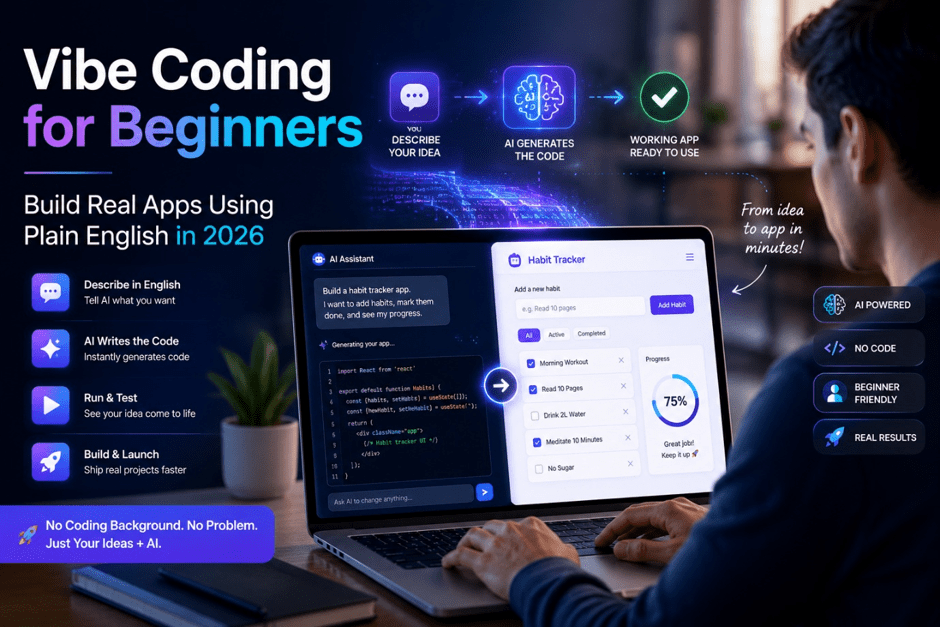
Vibe Coding for Beginners: The Only Guide You Actually Need in 2026
A small business owner with zero technical background built her own client booking system three months back. Four hours of work. She now saves $140 a month on software she cancelled. She did it through vibe coding.
That story stopped being unusual about a year ago.
Vibe coding typing what you want in plain language and letting AI handle the actual code has moved quietly from developer Twitter into real use by people who have never touched a terminal.
What Vibe Coding Actually Is
Software has always had a gatekeeping problem. Building something meant learning a language a computer could understand Python, JavaScript, take your pick. That learning curve kept most people out for a long time.
Vibe coding works differently.
You write in English. The AI writes the code. You run it, check whether it did what you meant, and tell it what went wrong if it didn’t. That exchange keeps going until you have something that works.
You’re not learning to program. You’re learning to describe things clearly to something that already knows how to program. Different skill set. Much shorter ramp.
Who Named It and Why It Stuck?
Andrej Karpathy, one of the individuals involved in developing Open AI, discussed this aspect in early 2025. He mentioned creating through intuition, where an AI was prompted without adhering to any engineering process whatsoever. He called it vicing with the AI.
It spread fast. Not because he invented the concept plenty of people were already doing it but because “vibe coding” described something that previously had no name.
Who Is Getting Real Value from This?
Worth being straight here. “Anyone can do it” is technically accurate and mostly useless as advice. These are the people actually shipping things through vibe coding right now.
Solo founders and freelancers who need a working demo before development budgets exist. A functional prototype gets meetings. A slide deck usually doesn’t.
Designers who have clear opinions about how interfaces should behave but no way to test them without waiting on someone else’s schedule.
Writers and creators who want simple custom tools a form that routes submissions, a page collecting their links, a dashboard showing their numbers without paying developer rates for something small.
Students working against deadlines who discover that describing what they want moves faster than learning syntax they’ll use once.
None of them would call themselves programmers. Vibe coding doesn’t ask them to become one.
Tools That Are Worth Your Time
Replit Where Beginners Should Start
Replit runs in a browser. Nothing to download or configure. Open it, start a project, type what you want in the sidebar, and it builds.
The AI inside handles code generation, error messages, and fixes when something breaks. For a first timer, Replit removes everything standing between you and a working project except the thinking.
Start here. The other tools aren’t going anywhere.
Cursor When You Want to See the Code
Cursor is a code editor with AI built into it. The code it writes appears right next to you. You can read it, change it, or skip it entirely and keep typing prompts.
More people with technical backgrounds use it, but complete beginners run it too. The difference from Replit is that Cursor assumes you might want to see what it’s producing. That becomes valuable once you care about how things work, not just that they do.
v0 by Vercel for Visual Projects
Describe a user interface and v0 builds it as a component you can drop straight into a project. If your priority is how something looks a dashboard, a landing page, a form with specific fields v0 gets you to a usable starting point faster than anything else at the moment.
Bolt and Lovable Full App from One Prompt
Both aim to produce a complete working application from a description. They handle more setup steps than Replit, which makes them faster for prototypes. Try them after your first Replit project, when you want to see how far a single detailed prompt can go.
Claude and ChatGPT the Low-tech Route
Regular chat interfaces work fine for smaller projects. Type what you want, copy what comes back, paste it into Replit or a plain HTML file. More manual than the dedicated tools but workable.
At Premium Tech Blog we’ve run all of these through real beginner projects. Replit wins on setup simplicity. Cursor wins when you want to understand what’s being built.
Running Your First Session
Keep the Scope Tiny
Not a platform. Not an app with twelve features. One thing.
A page converting dollars to another currency. A five question quiz. A list where you tick off daily habits. A timer that sounds when it hits zero.
If two sentences can describe it completely, it’s the right size.
Prompt With Specifics
Vague descriptions produce vague results. This is where most first sessions go sideways.
What doesn’t work: “Make me a productivity app.”
What does: “Build a habit tracker. I want a text field to type a habit name and an Add button that drops it into a list below. Each list item needs a checkbox to mark it done and an X button to remove it.”
Before sending, read it back. If someone who had never seen your screen would understand exactly what you’re picturing, it’s ready. If they’d have to guess, add more.
Run It Before Touching It Again
Whatever the AI produces run it immediately. Click every button. Type into every field. Actively try to break it.
AI output looks finished. Formatted, structured, plausible. It’s the only thing that makes it easy to skip testing. Don’t. Code that looks right and runs wrong will cause twice the trouble once you’ve built more on top of it.
Say Exactly What Broke
When something’s off, precision gets it fixed faster.
Too vague: “It doesn’t work.”
Useful: “When I click Add without typing anything, a blank line appears in the list. It shouldn’t add anything it should show an error message under the text field instead.”
What happened. What you wanted. That’s the whole prompt the AI needs to fix it.
One Addition at a Time
Once the core runs correctly, add features one at a time. Test after each one.
Projects that balloon through ten features in a single session are impossible to debug when something breaks. And something always breaks.
Where Vibe Coding Does Its Best Work
Personal tools built for yourself or a small team, where you know the exact behaviour you need and can test every corner of it. Dashboards, trackers, simple automations. This is the category where vibe coding is genuinely reliable right now.
Prototypes getting something clickable in front of someone before money gets committed. A working demo does more in a pitch meeting than a detailed concept. We looked at how AI is changing product development more broadly in our piece on how generative AI is rewriting the tech rules.
Where It Runs into Trouble
Projects with many connected parts. User logins, payments, admin panels that share data these need architectural decisions that are hard to make through prompts. The AI builds individual pieces fine. Fitting those pieces together without understanding what each one does is where things fall apart.
Anything touching real user data. Security gaps in AI generated code aren’t obvious without technical experience. Weak authentication, exposed credentials, inputs that go unchecked they look fine until they aren’t. If real users’ data or money flows through what you’re building, get a technical review before it goes anywhere near production. This isn’t optional.
Bugs inside large projects. A broken feature in a small tool takes one good description to fix. The same problem buried inside something built over dozens of prompts is much harder to isolate. Some understanding of what the code is doing makes debugging faster you’ll pick that up gradually if you stick with it.
For a closer look at what current AI tools can and can’t handle technically, our piece on multimodal AI and everyday apps gets into the details.
The Mistake That Costs the Most Time
Moving on without testing.
It plays out the same way every time. The AI produces something, it looks clean and finished, you go to the next feature. You repeat that eight times. Then you test end-to-end and find three things broken, with no clear trail back to which prompt caused which problem.
Run the project after every single change. It adds thirty seconds. It saves hours.
Is Vibe Coding Legitimate
Developer communities’ debate this. The debate generates noise but rarely light.
The practical answer: a founder who built their own client management system this way and stopped paying $150 a month for software they replaced they’re not wondering whether it counts. The thing works. That’s the only metric that matters for someone in their position.
What’s actually true is that knowing some fundamentals makes vibe coding better. Not formal training. Just a rough sense of what a variable hold, what a function does, what an API call is sending somewhere. Your prompts get sharper. You catch problems earlier. You don’t need any of this to start it helps when you want to go further.
For ongoing coverage of how AI tools are changing what no developers can build, the .co www.PremiumTechBlog.com tracks what’s shifting each month.
Before You Close This Tab
Open Replit. Make a free account if you don’t have one two minutes.
Think of the smallest useful thing you could build. One feature. One tool. Describe it in three sentences and send the prompt.
Run whatever comes back. Break it. Tell it what went wrong. Fix it.
The first time something you described in plain language runs correctly in a browser that’s when you get why this is spreading so fast among people who never expected to build anything themselves.